Create Your First Endpoint
Once you’ve created your Spectrum account, you’re ready to deploy your first endpoint. This guide walks you through the process step-by-step so you can get your node online quickly and reliably.
What is an Endpoint?
An endpoint is a publicly accessible interface that lets you connect to a blockchain node without needing to run your own infrastructure.
Step 1: Log in to Your Dashboard
- Visit: dashboard.spectrumnodes.com
- Enter your user credentials if logged out.
Step 2: Create Your Endpoint
- Go to the Nodes page in the left sidebar and click Create Project.
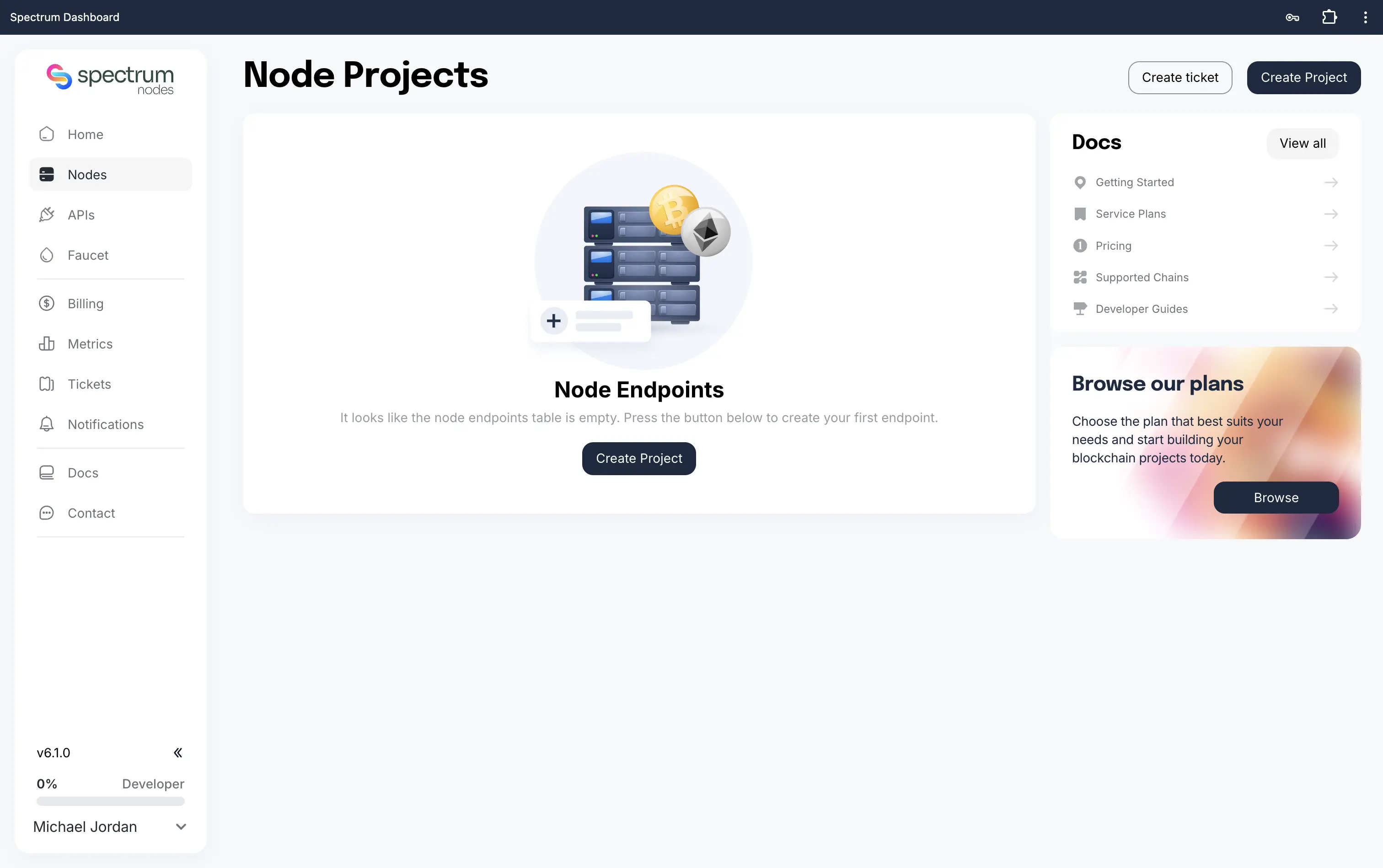
- Choose a project type:
- Nodes: Deploy and manage reliable RPC infrastructure for reading blockchain data, submitting transactions, and powering on-chain applications.
- APIs: Access powerful blockchain data and infra APIs for wallets, pools, transactions, analytics, and more. Build faster with ready-to-use endpoints.
- Enter a Project name: call it whatever you like (you can rename it later).
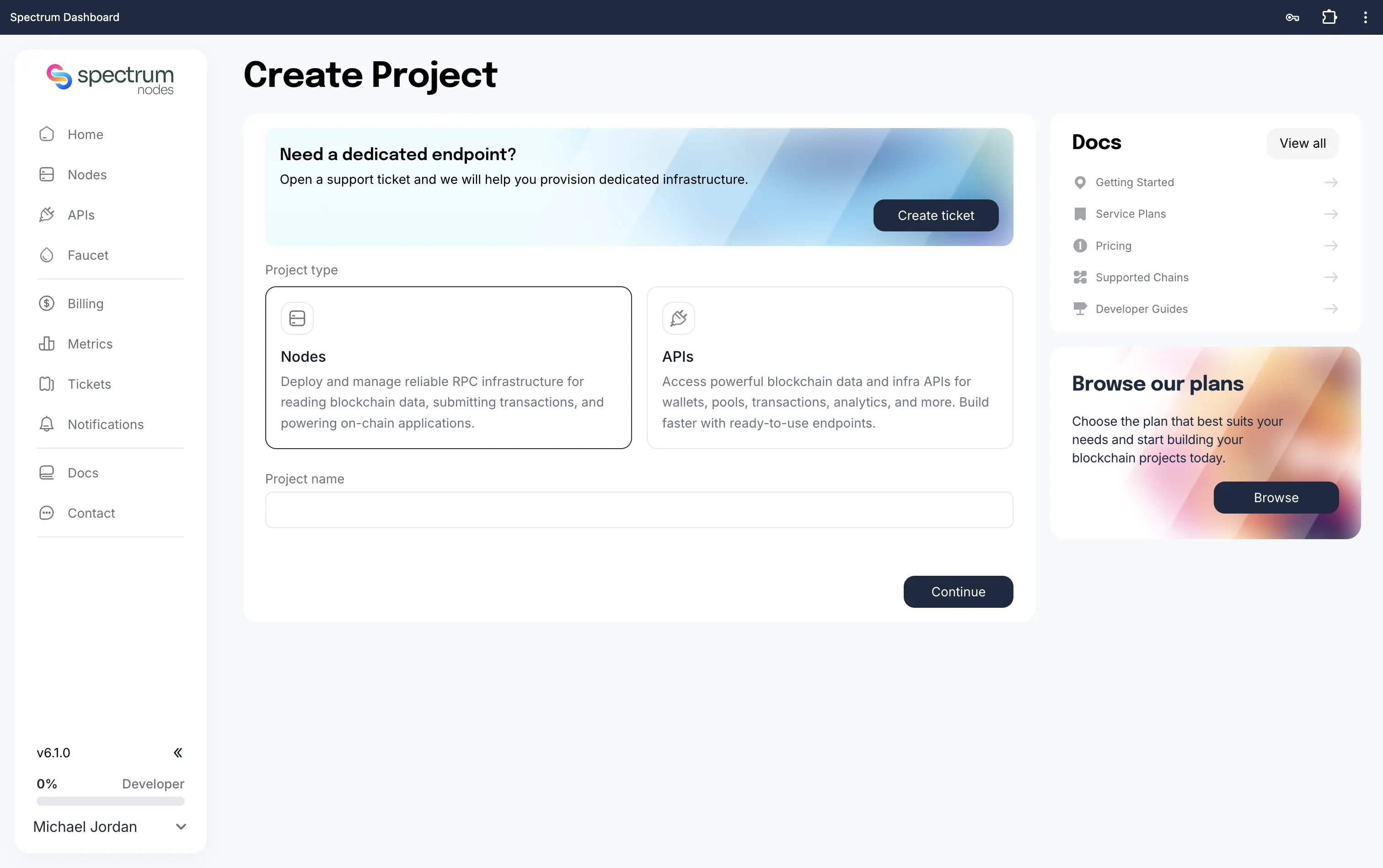
- On your project’s page, search for and enable the chains you want, then click Create.
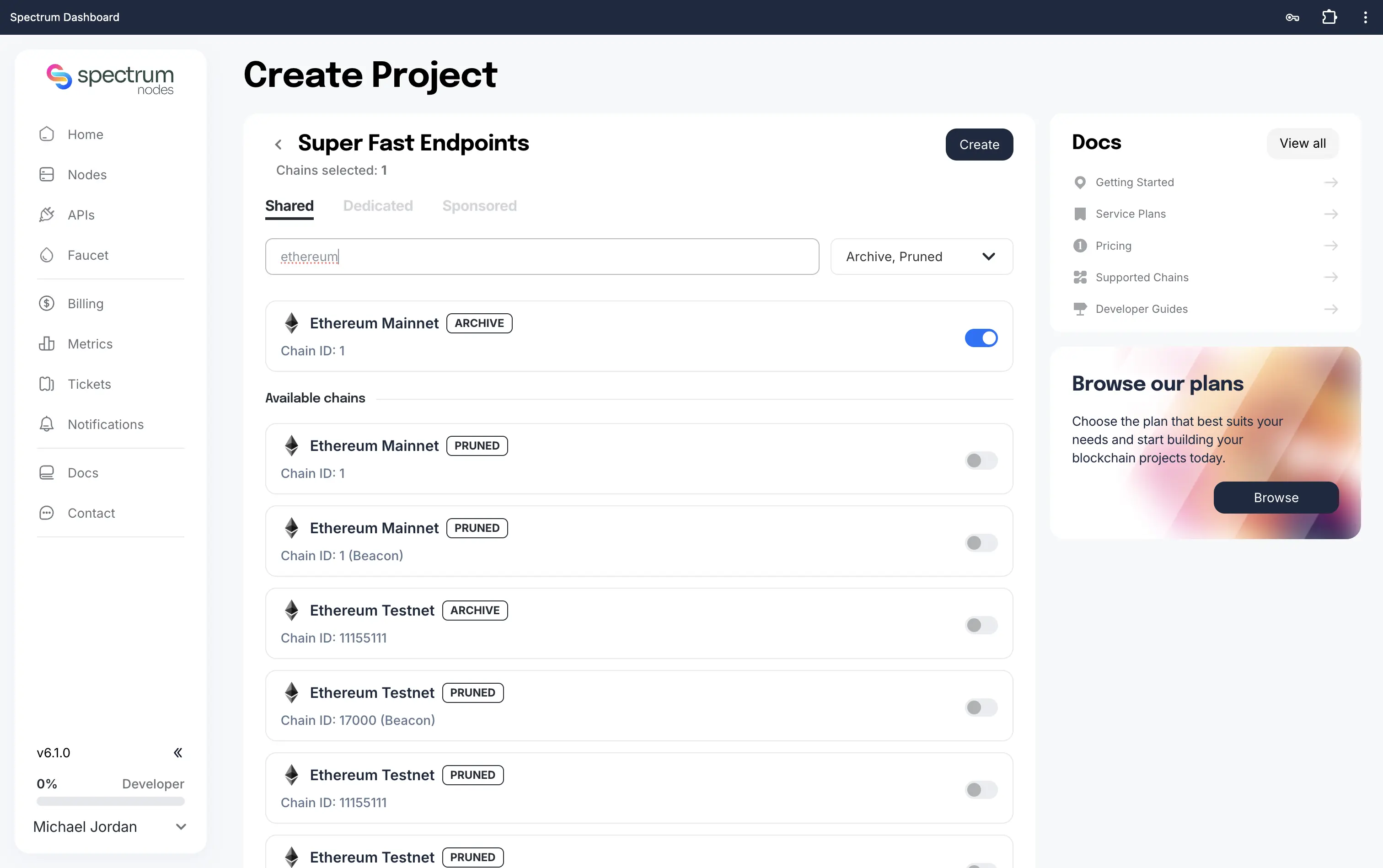
Once created, each enabled chain exposes its available endpoints (RPC, WS, or whatever that specific chain supports).
Archive nodes provide full historical blockchain access and analysis. Pruned nodes serve current or recent data with low resource use.
Step 3: Access Your Endpoint
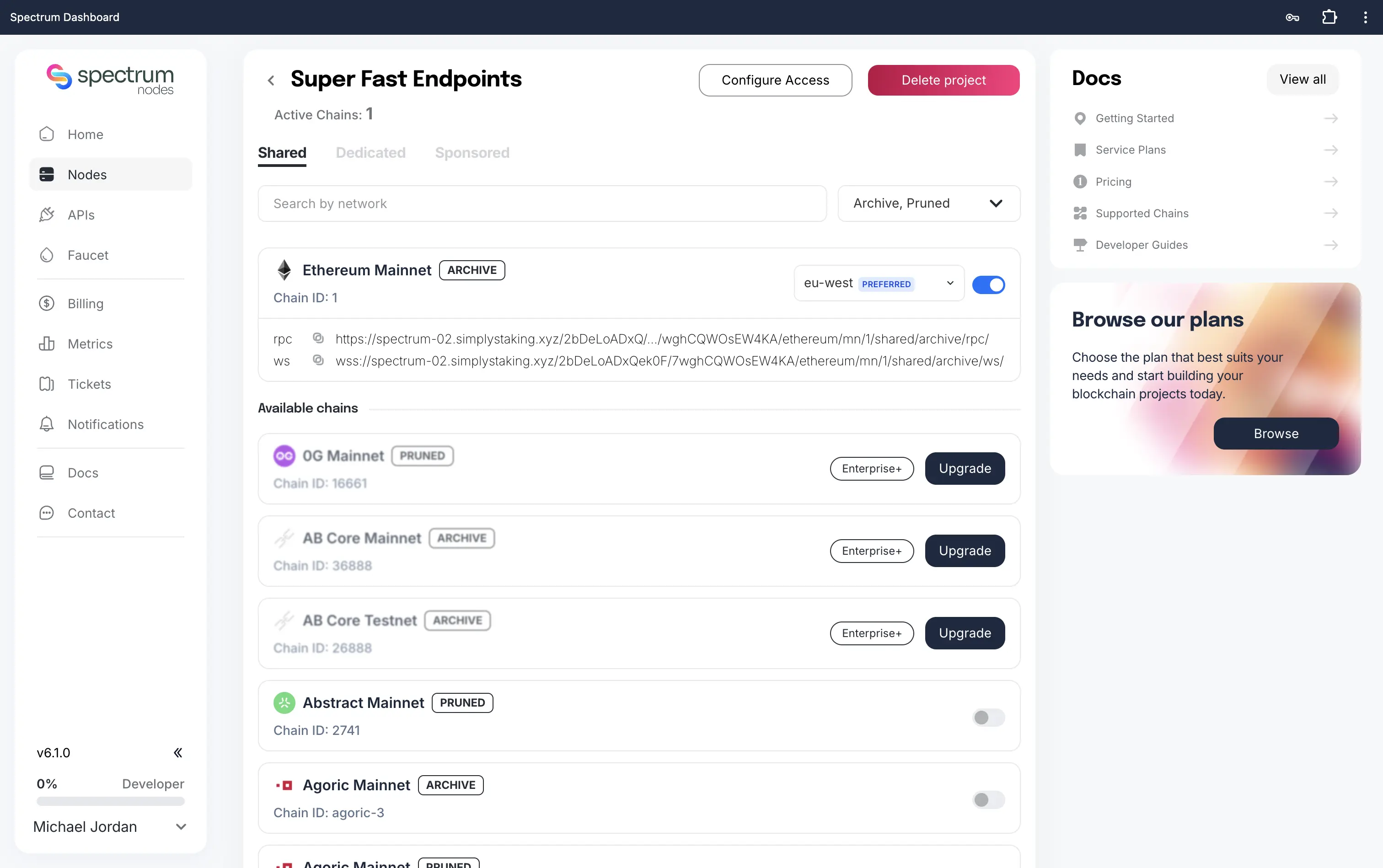
- Open your project from the Nodes page.
- Select the chain you want to connect to.
- Each active chain lists its RPC (Remote Procedure Call) and WS (WebSocket) URLs. Use the region selector to choose the location closest to you for optimal performance.
- Copy the URL you need.
Important: Keep your endpoint link private to prevent unauthorised usage or abuse.
Need Help?
If you run into issues or have questions, please get in touch with us via spectrumnodes.com/#contact
We’re always happy to help.