Upgrade Your Tier
Upgrading your Spectrum tier unlocks higher performance, premium features, greater usage limits and enhanced support.
Step 1: Log in to Your Dashboard
- Visit: dashboard.spectrumnodes.com
- Enter your user credentials if logged out.
Step 2: Go to Billing
- Navigate to Billing on the left sidebar.
- In the Tier tile, click Upgrade.
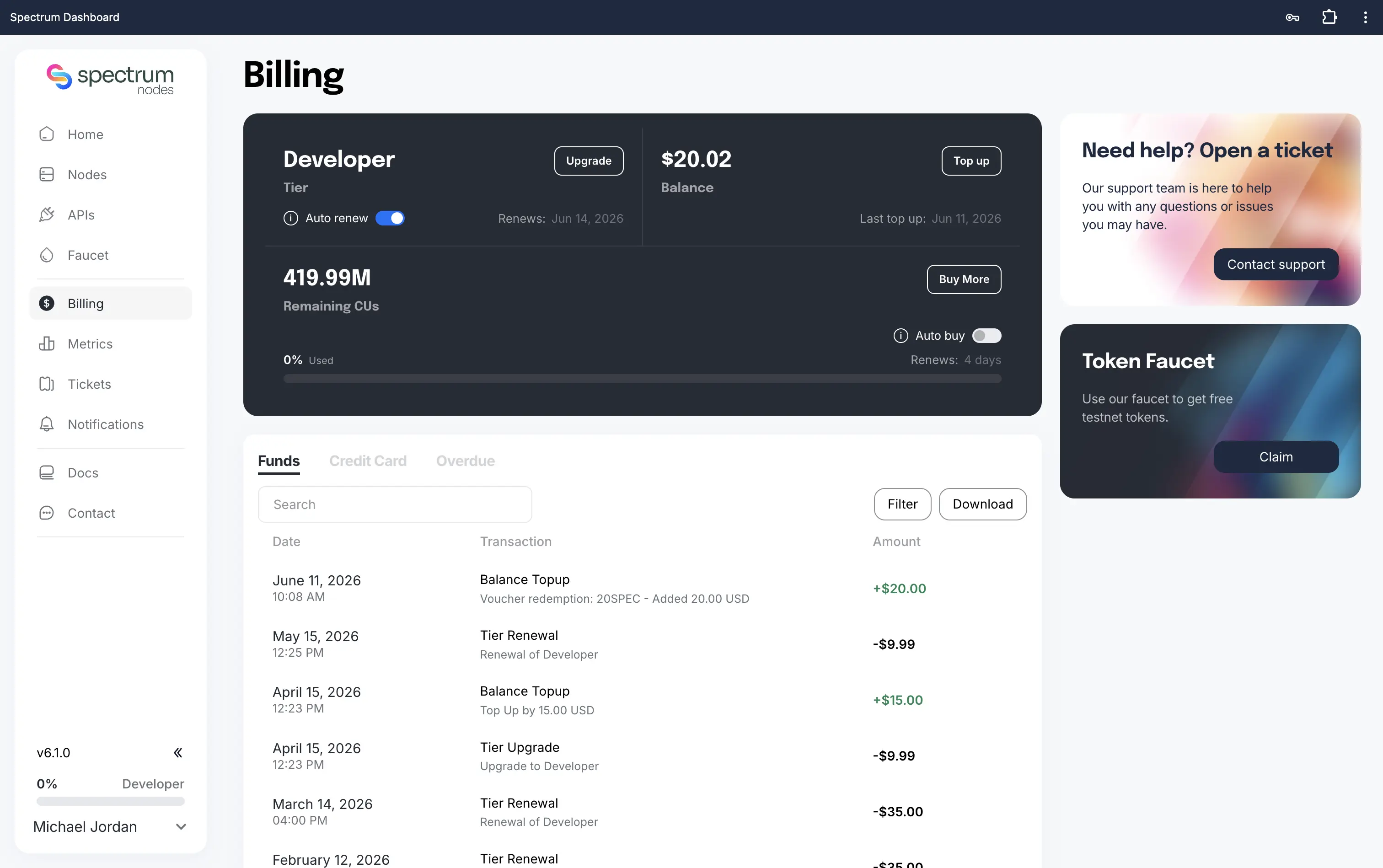
Step 3: Select Your New Tier
- Review our plans and choose a tier that fits your project needs.
- Ensure your account has enough funds Topped Up to cover the upgrade. Alternatively, you can top up via Credit Card payment.
- Need help? Follow our guide: How to Top Up
- Click Upgrade under your selected tier to proceed.
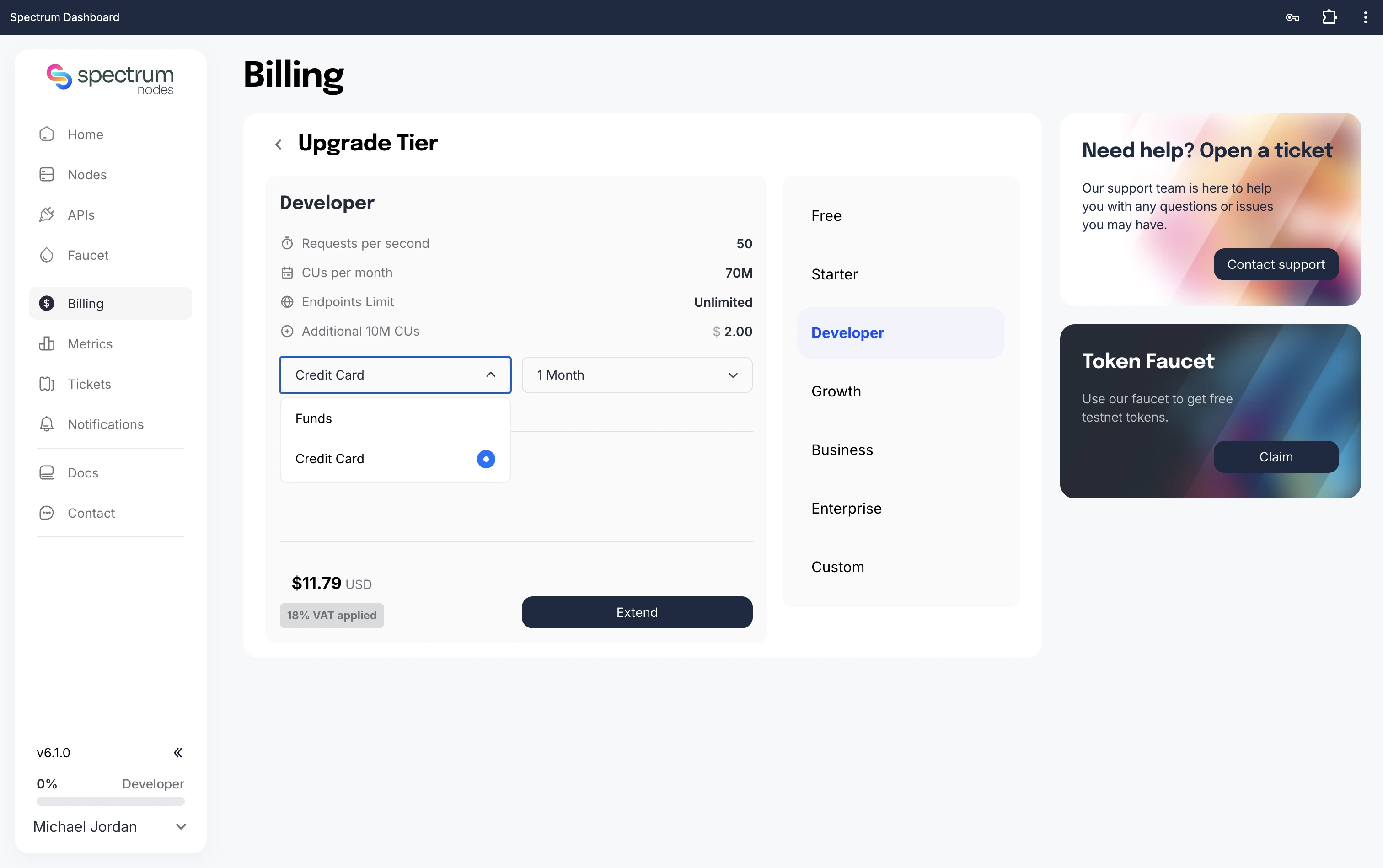
Step 4: Confirm and Activate
- Click Confirm Upgrade to activate the change.
- Your new tier will activate immediately, and your changes will be reflected on the Billing page.
If you have recurring payments enabled, ensure your account has sufficient balance before your new period commences.
Your upgraded tier is now unlocking higher performance, extended limits, and additional features for your endpoints.
Need Help?
If you run into issues or have questions, please get in touch with us via spectrumnodes.com/#contact
We’re always happy to help.