How to Top Up
Topping up your account ensures you have available balance to cover usage. This balance can be used toward endpoint traffic, premium networks, or other Spectrum features.
Step 1: Log in to Your Dashboard
- Visit: dashboard.spectrumnodes.com
- Enter your user credentials if logged out.
Step 2: Go to Billing
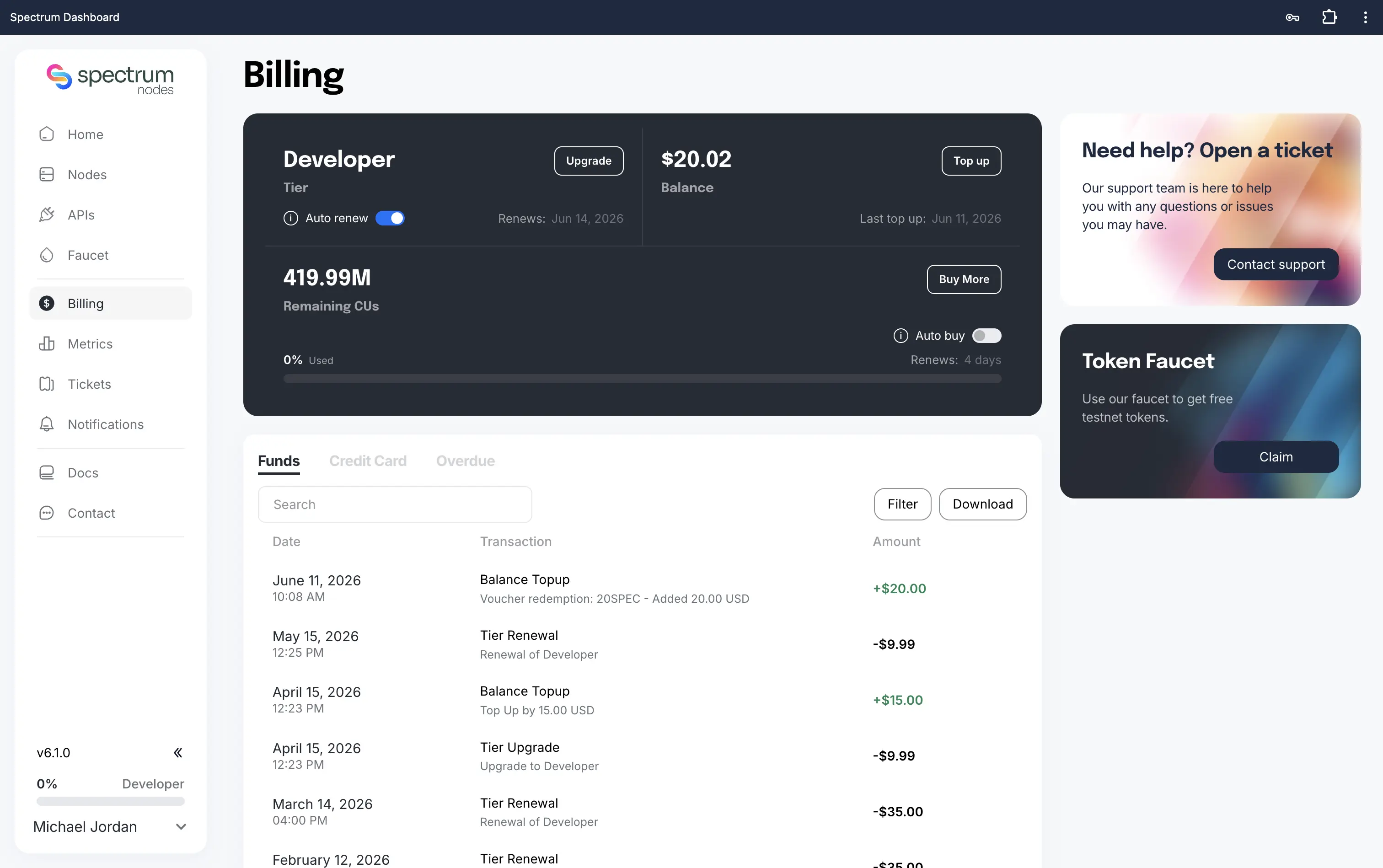
- Navigate to Billing in the left sidebar of your dashboard.
- In the Balance tile, click Top up.
Step 3: Enter Topup Amount
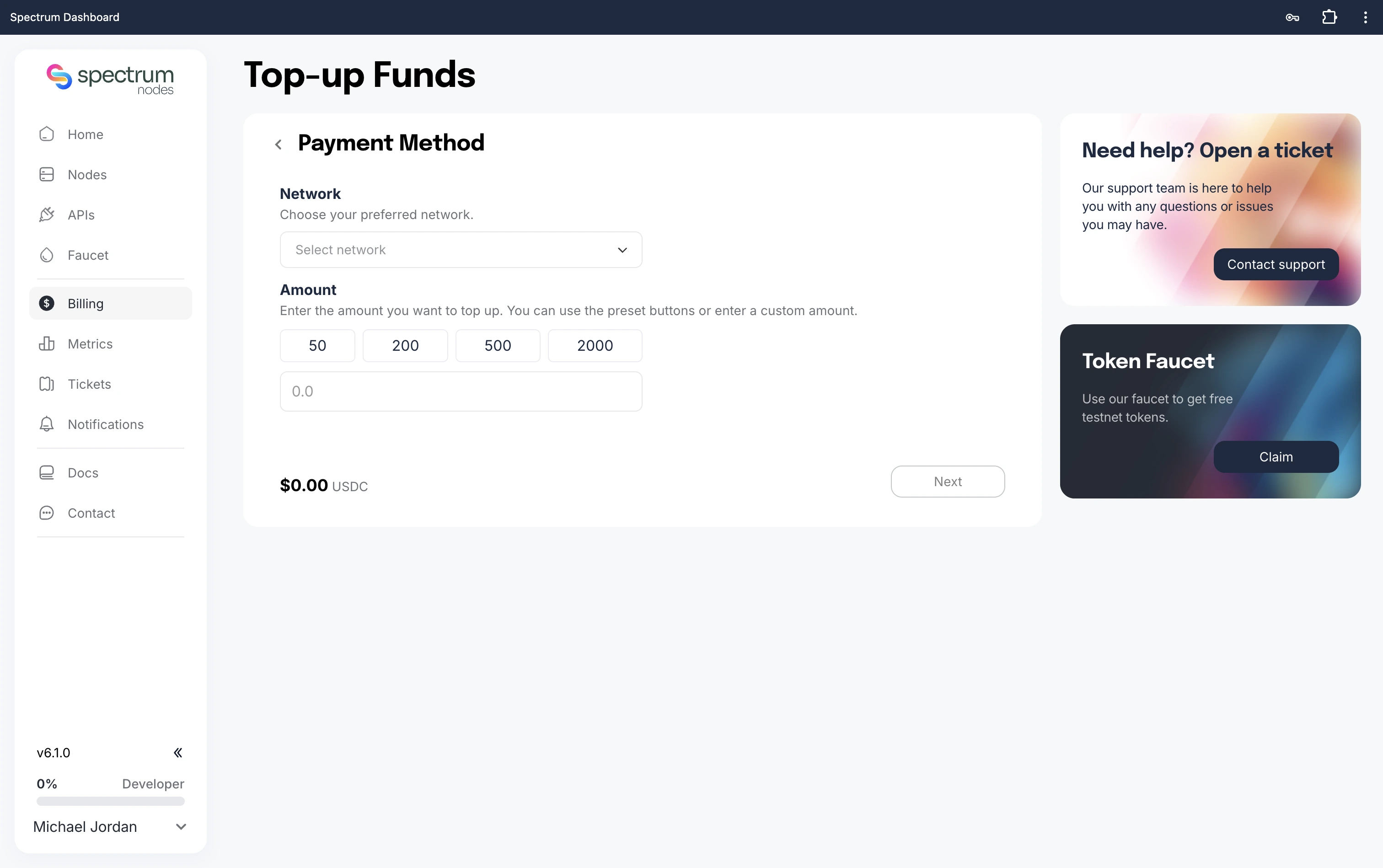
- Specify the Amount (USDC) you want to add to your account.
- Select your preferred Payment Network (e.g., Ethereum, Base).
Step 4: Connect Your Wallet
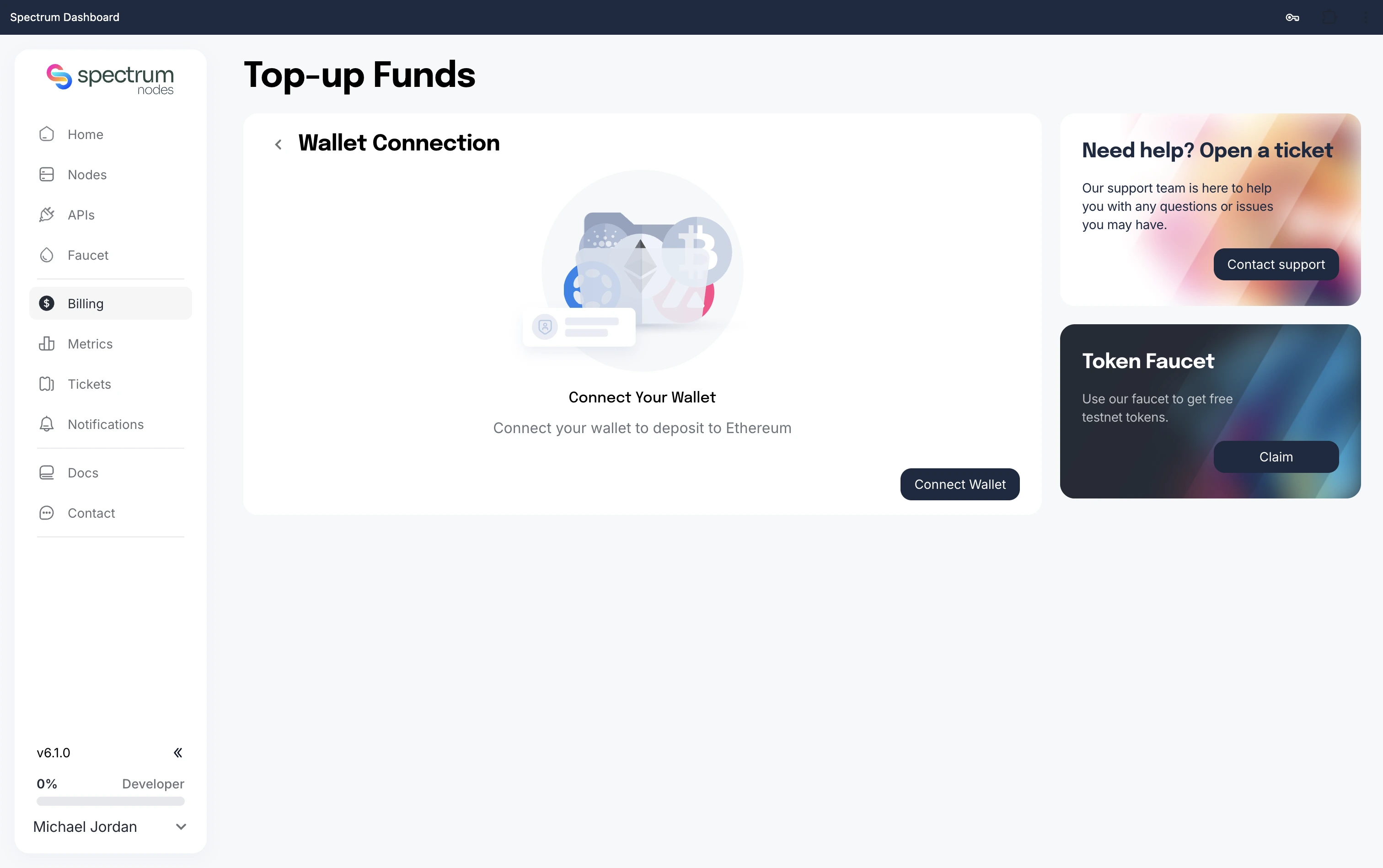
- Connect with a supported wallet. If you’re unsure, we suggest MetaMask.
- Ensure you have prepared sufficient funds on your wallet for the selected network.
Important: Double-check your wallet’s active network before proceeding to payment. Sending funds on the wrong network may result in permanent loss of funds.
Step 5: Confirm Deposit
- Confirm Deposit and approve the payment from your wallet.
- Once your transaction has been confirmed on-chain, your account balance will be updated.
- Your new balance will now appear in your dashboard and you can now upgrade your Spectrum tier.
Need Help?
If you run into issues or have questions, please contact us via spectrumnodes.com/#contact
We’re always happy to help.