Creating a Webhook
Create webhooks from the Webhooks section of the Spectrum dashboard. Choose the complete walkthrough for the webhook you want to create:
Both types support an HTTPS URL, Slack channel, or Telegram chat. See Destinations for complete Slack and Telegram bot setup.
Create an Address Activity webhook
Address Activity watches wallet and contract addresses for native, token, and NFT activity.
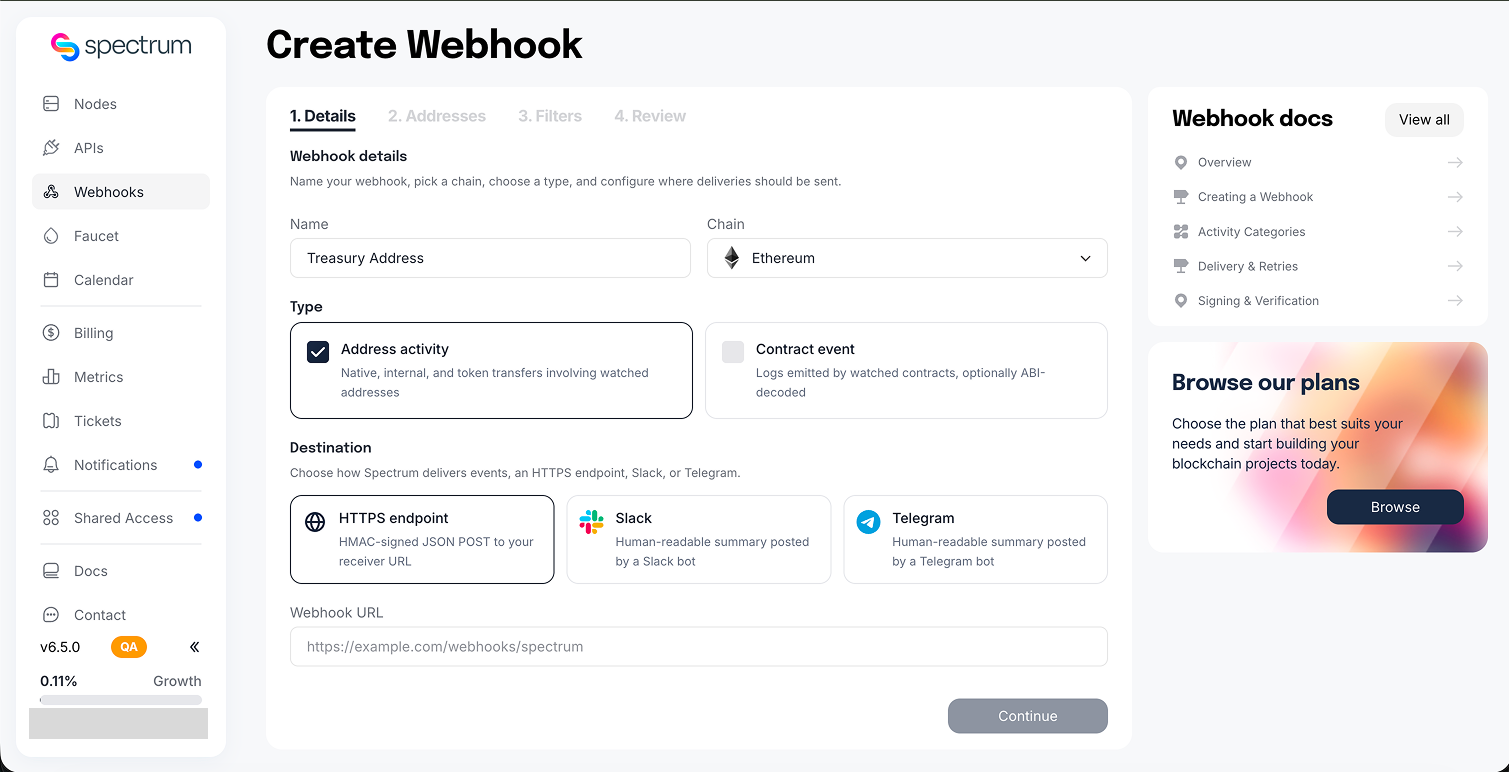
1. Enter details and choose a destination
Open Webhooks, click Create webhook, and select Address Activity. Enter a recognisable name, choose the chain, and configure one destination:
- URL: enter a public HTTPS endpoint.
- Slack: enter an
xoxb-bot token and channel ID. Invite the bot to the channel first. - Telegram: enter the BotFather token and chat ID. Make sure the bot can post in the chat.
2. Add watched addresses
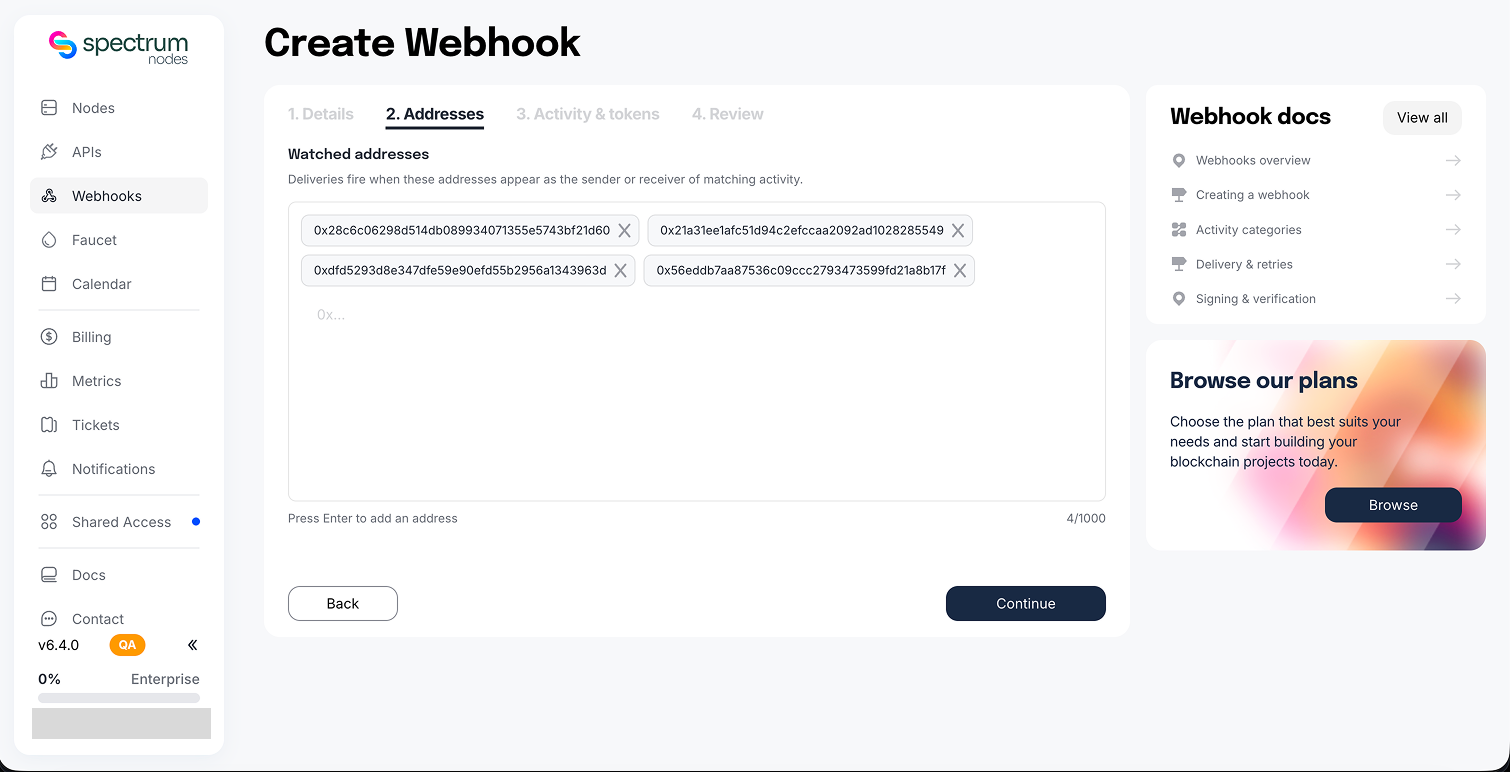
Enter every address you want to watch. A delivery fires when a watched address participates in matching activity. Press Enter after each address.
3. Select activity and tokens
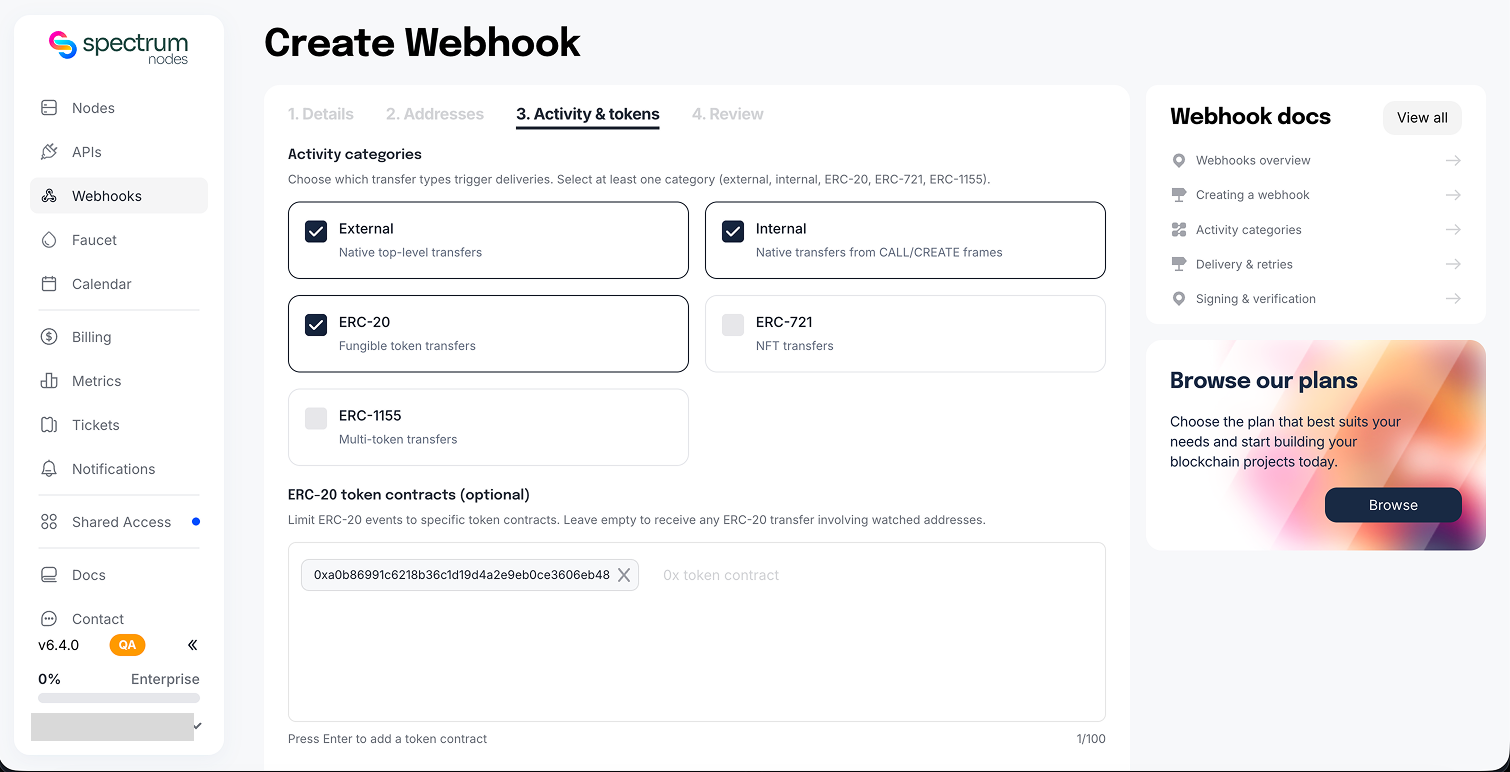
Choose at least one activity category. You can optionally restrict ERC-20 activity to specific token contracts. See Activity Categories for the fields each category delivers.
4. Review and create
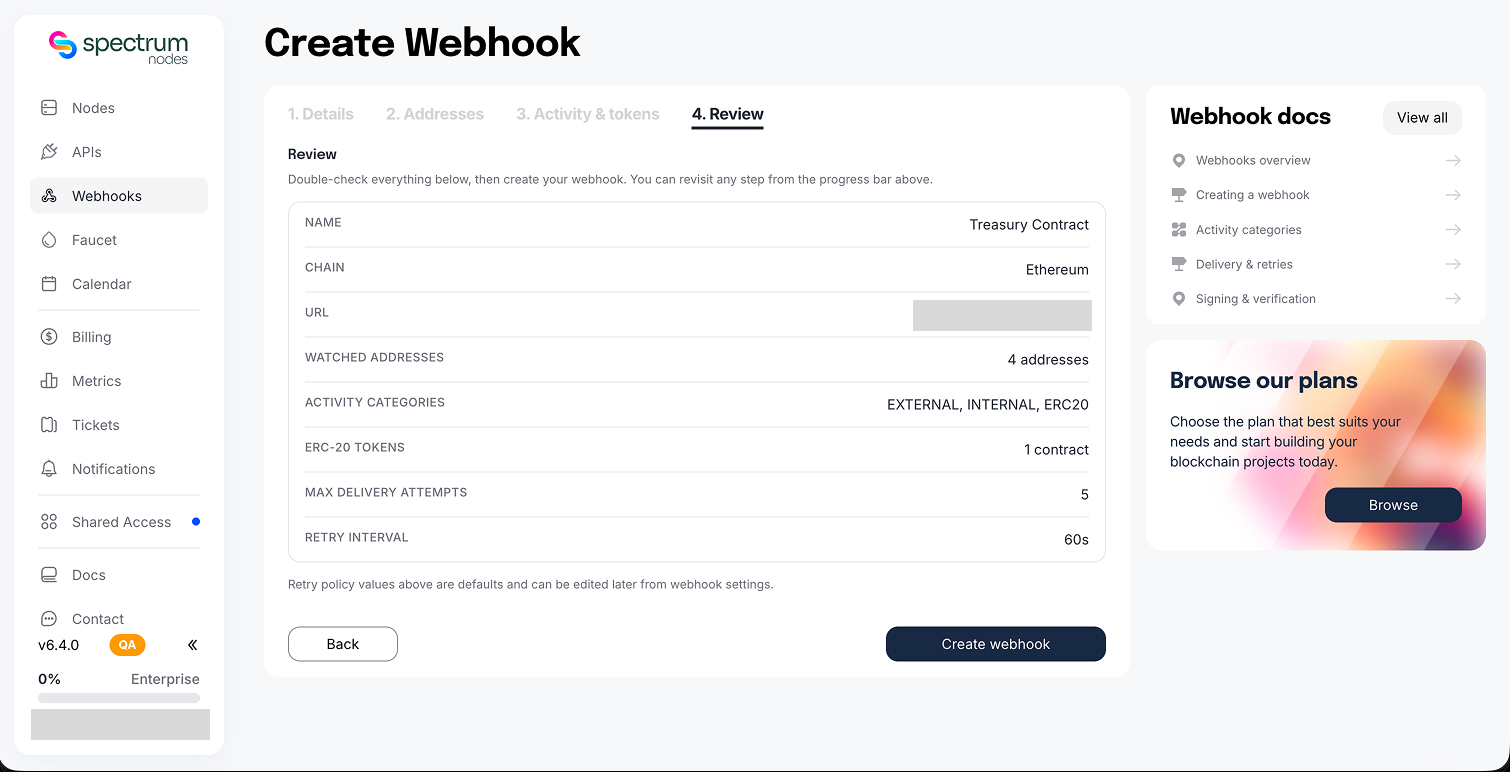
Review the chain, watched addresses, activity filters, destination, and retry policy, then click Create webhook.
5. Save the signing key for a URL destination
For an HTTPS destination, Spectrum shows the signing key once. Copy it immediately and store it securely. If it is lost, rotate the key.
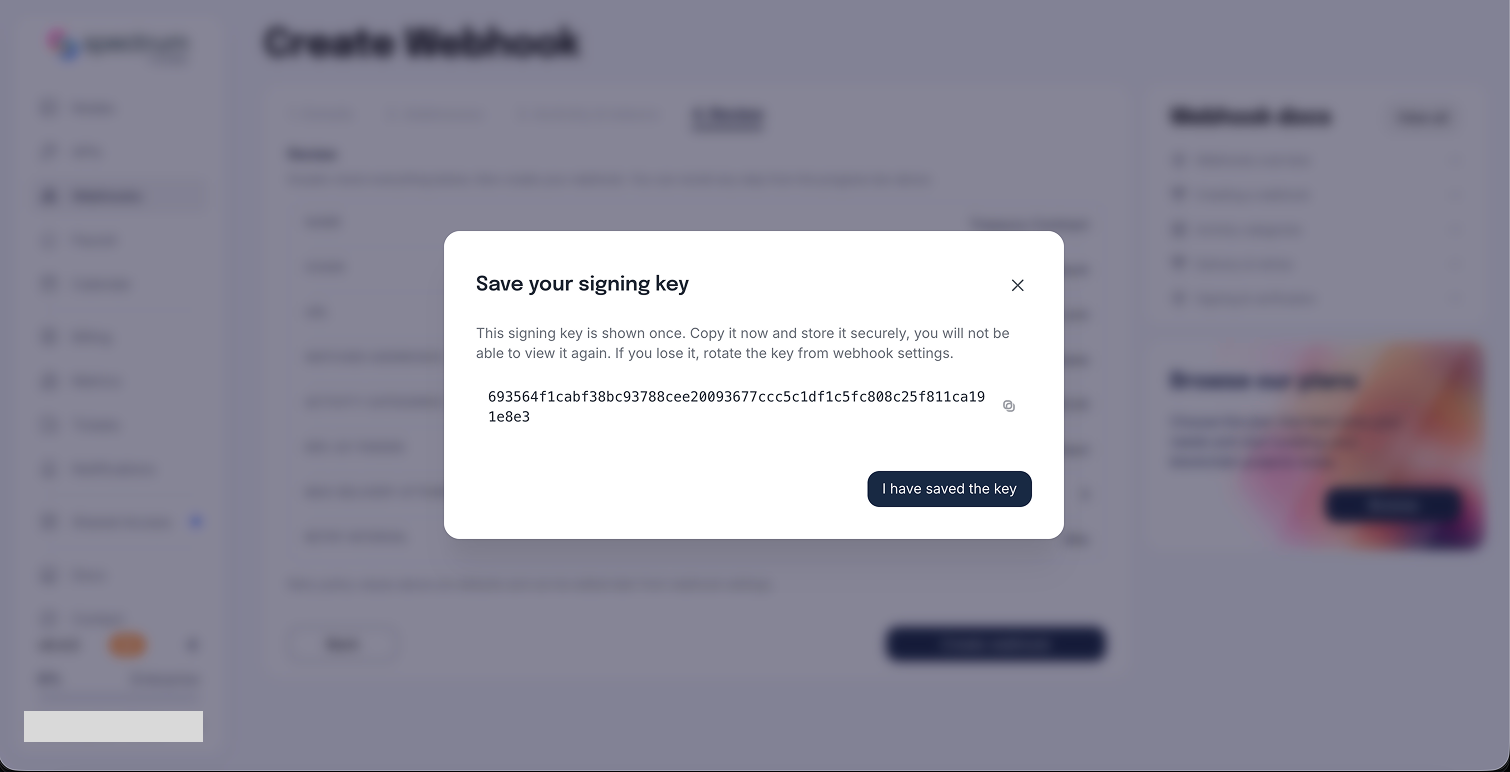
Slack and Telegram webhooks do not have signing keys; Spectrum authenticates to those providers with the bot token instead.
Create a Contract Events webhook
Contract Events watches logs emitted by one smart contract and selects events using ABI fragments, raw topic hashes, or both.
1. Enter details and choose a destination
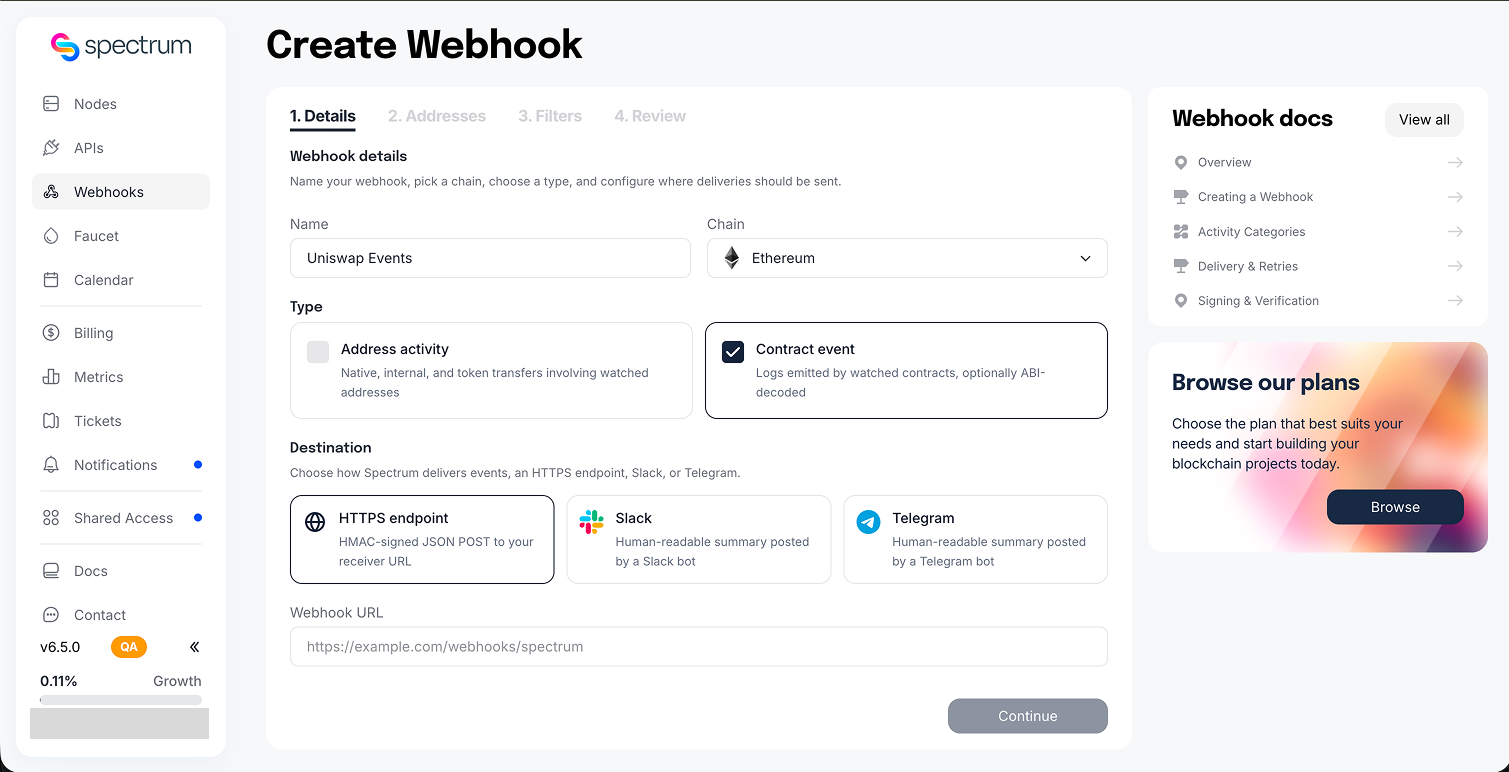
Open Webhooks, click Create webhook, and select Contract Events. Enter a recognisable name, choose the chain, and configure one destination:
- URL: enter a public HTTPS endpoint.
- Slack: enter an
xoxb-bot token and channel ID. Invite the bot to the channel first. - Telegram: enter the BotFather token and chat ID. Make sure the bot can post in the chat.
2. Add the contract address
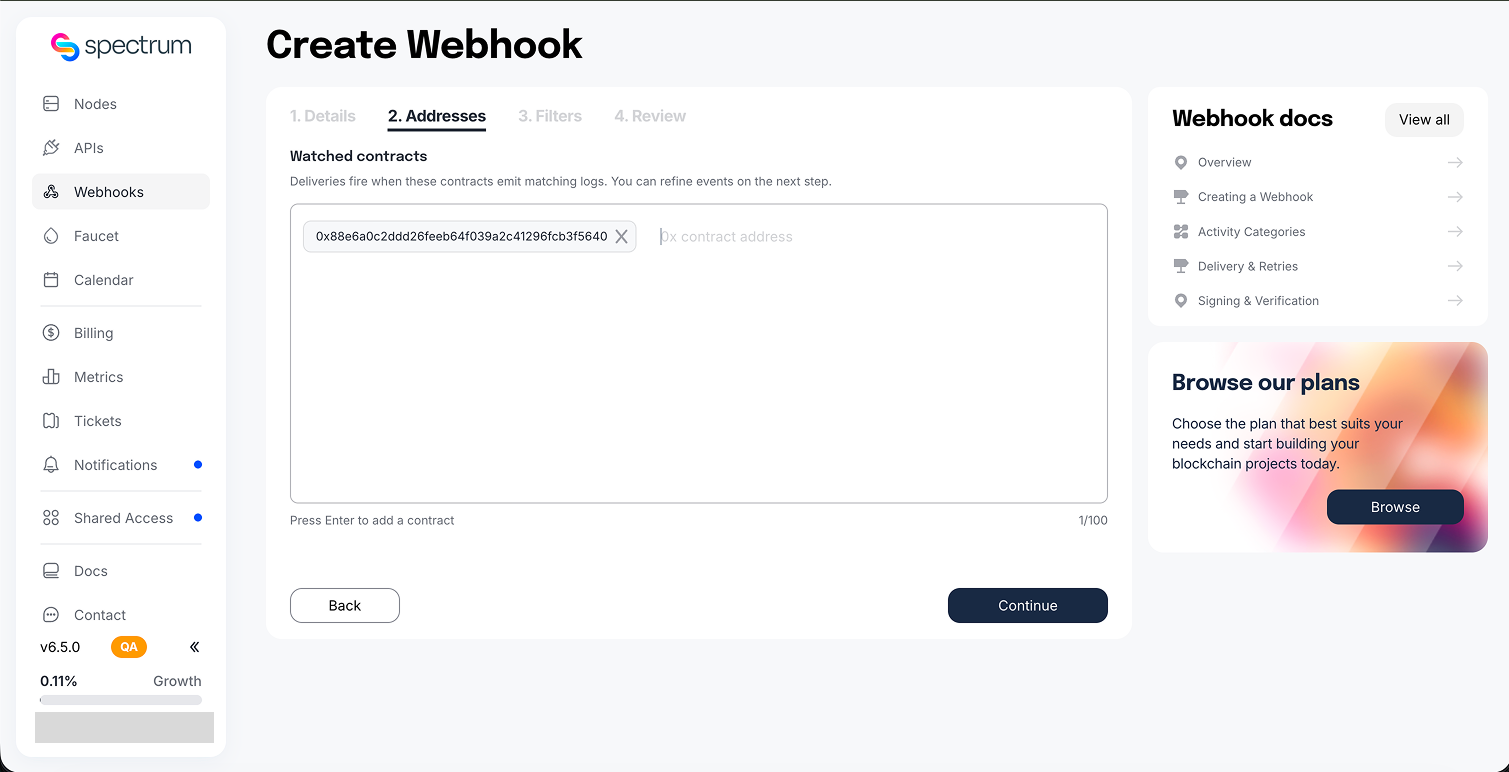
Enter the emitting contract address. The dashboard currently supports one contract per Contract Events webhook. Only logs emitted by that contract match; an address inside an event argument does not count as the emitter.
3. Add event filters
Paste compiler-JSON event ABI fragments, add raw topic0 hashes, or use both:
- An ABI event lets Spectrum calculate the signature and decode matched logs into named
args. - A raw topic hash matches the event signature but cannot decode its arguments without an ABI.
- Leaving both lists empty matches every event emitted by the contract, including anonymous events.
After an ABI is parsed, select the events you want to watch. Only event fragments are accepted.
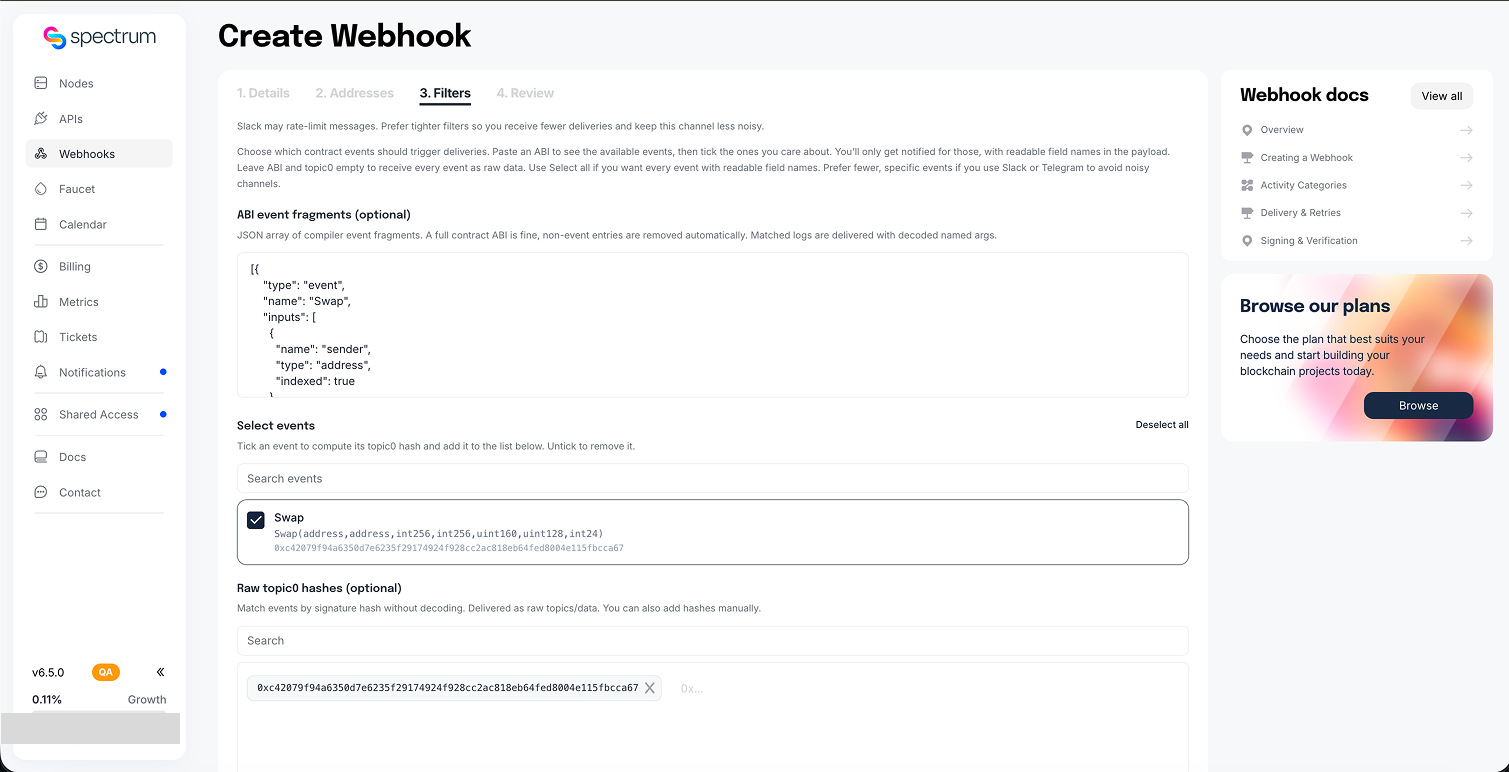
See Contract Events for selector behavior, indexed filters, decoding rules, and an example payload.
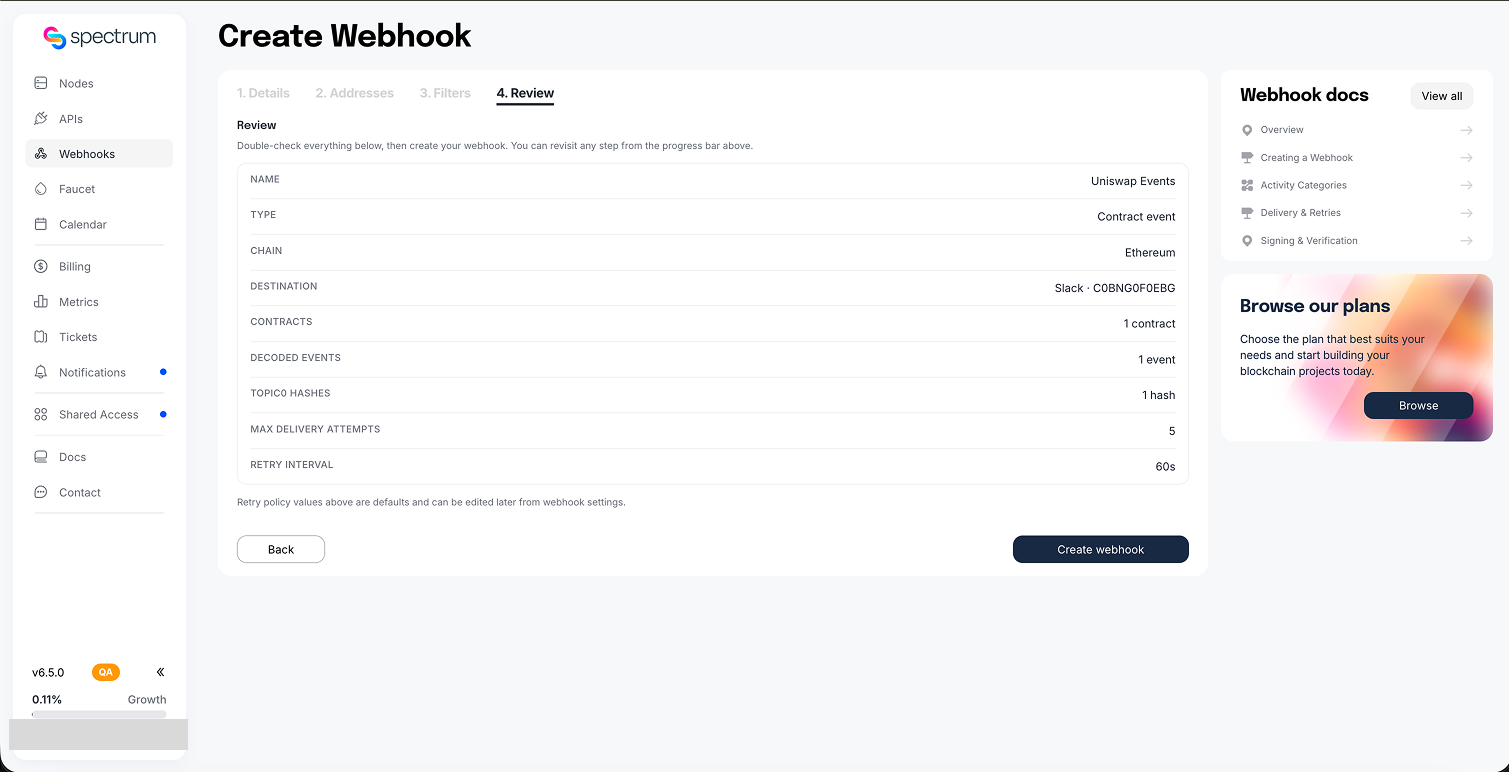
4. Verify the selected events
Review the calculated event signatures and raw topic hashes. This confirms exactly which emitted logs the webhook will match, then click Create webhook.
5. Save the signing key for a URL destination
For an HTTPS destination, copy the one-time signing key and store it securely. Slack and Telegram webhooks use their bot token instead and do not have a signing key.
Your webhook is now live. For HTTPS destinations, implement delivery handling and retries and signature verification. Send a test delivery from the webhook page to confirm the destination works.
Editing and lifecycle
Open a webhook to change its name, destination credentials or target, filters, status, and retry policy. The chain and webhook type cannot be changed after creation.
- Paused webhooks stop receiving new deliveries; set them back to active to resume.
- Address changes take effect from the next processed block.
- Contract Event filters are fully revalidated whenever they are replaced.
- Changing a Slack channel, Telegram chat, or HTTPS URL changes the webhook destination; rotating only a bot token keeps the same target.
- Deleting a webhook is permanent and removes its queued deliveries.
A duplicate active webhook with the same owner, chain, filter, and destination is rejected.