Purchase Additional Credits
Credits are used to manage your usage when approaching or exceeding your tier’s limit. Buying more credits ensures your endpoints remain online and fully functional during high traffic periods.
Step 1: Log in to Your Dashboard
- Visit: dashboard.spectrumnodes.com
- Enter your user credentials if logged out.
Step 2: Go to Billing
- Navigate to Billing on the left sidebar.
- In the Credits tile, click Buy More.
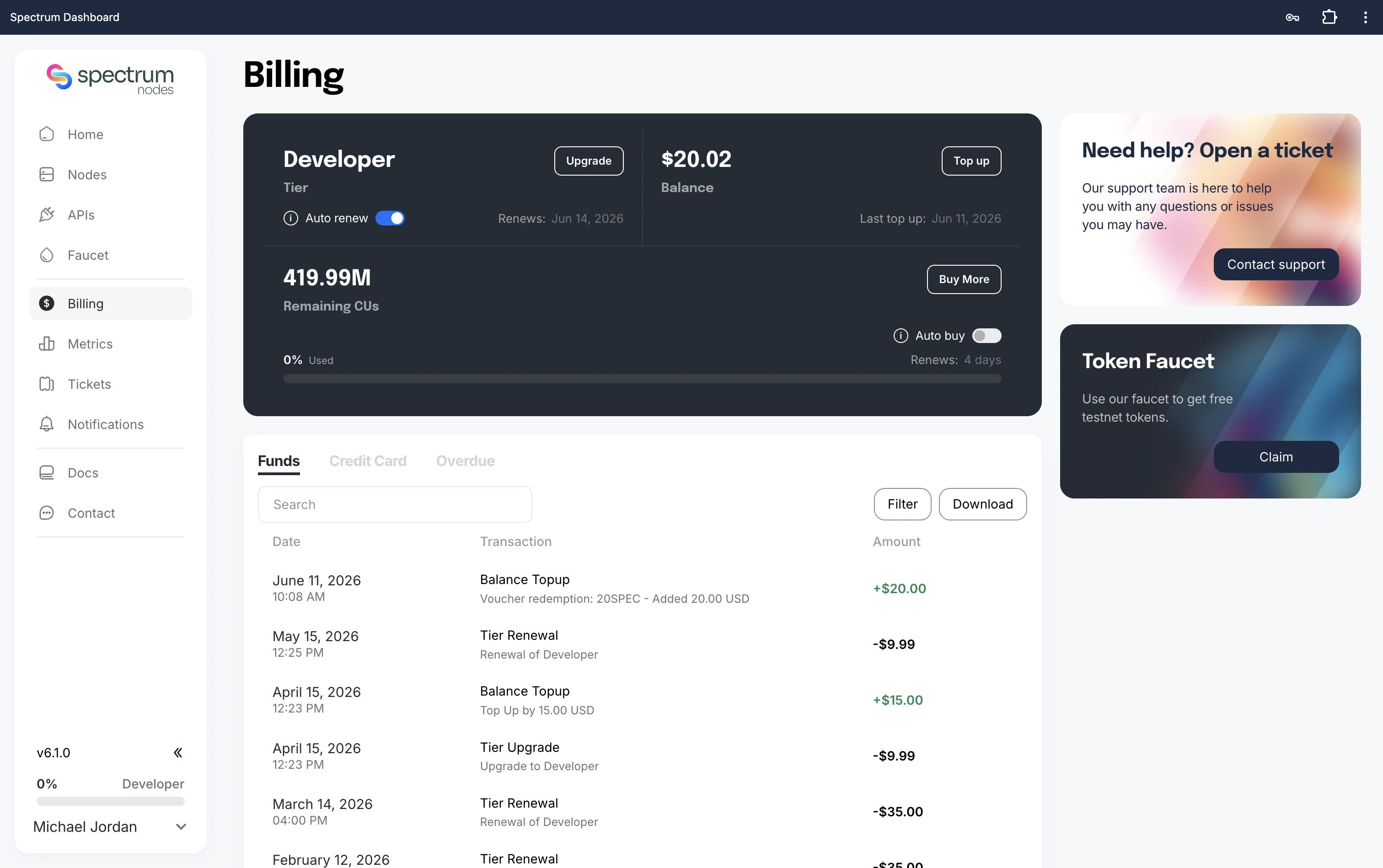
Step 3: Select Credit Pack
- Select how many credits you need and click Buy Credits
- Each pack contains 10M credits, with pricing that varies based on your tier.
- Ensure your account balance is sufficient. If not, you’ll need to top up first or pay by Credit Card: How to Top Up
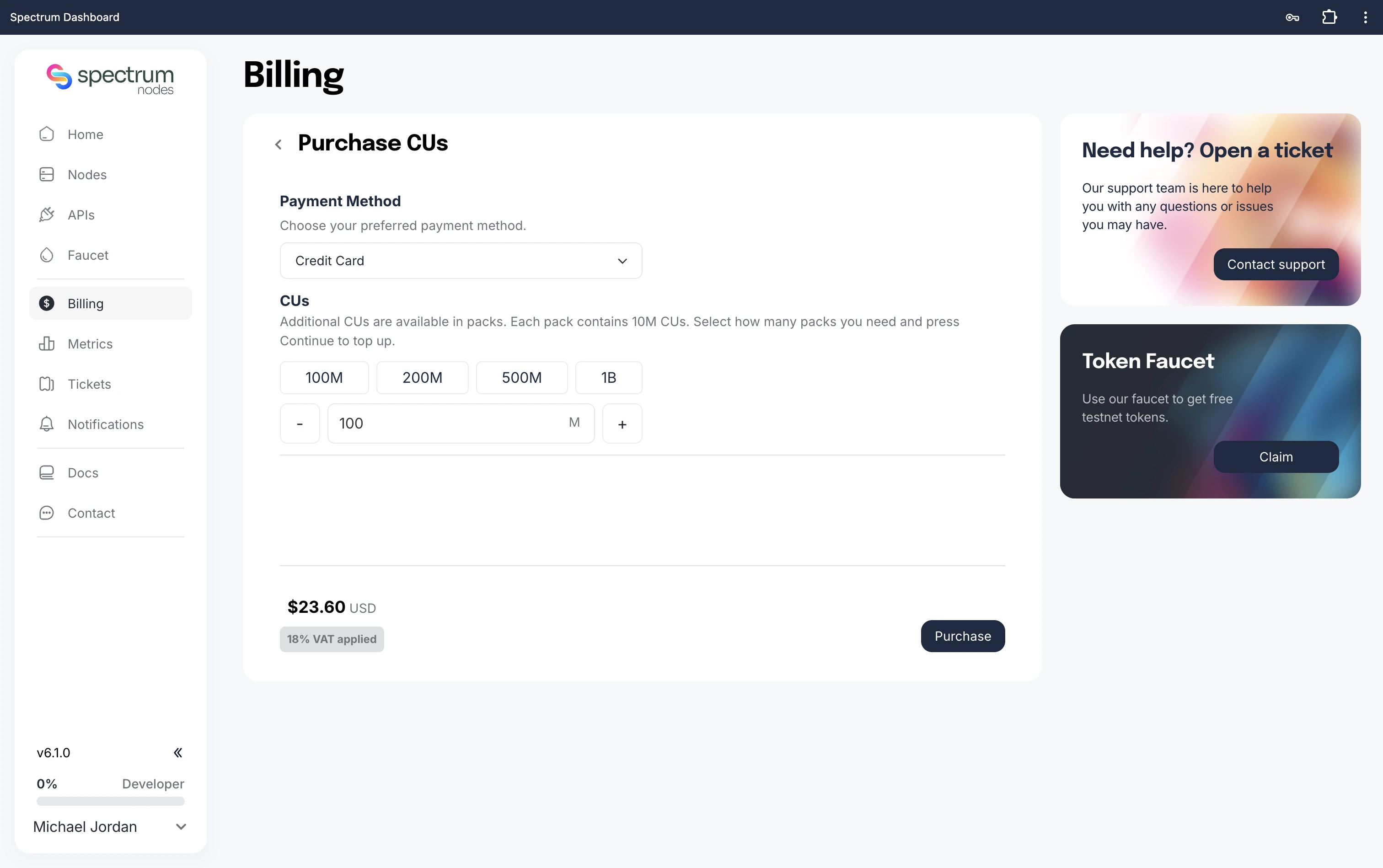
Step 4: Checkout
- Review your Purchase Summary
- Click Pay to confirm and finalize your order (if by Credit Card).
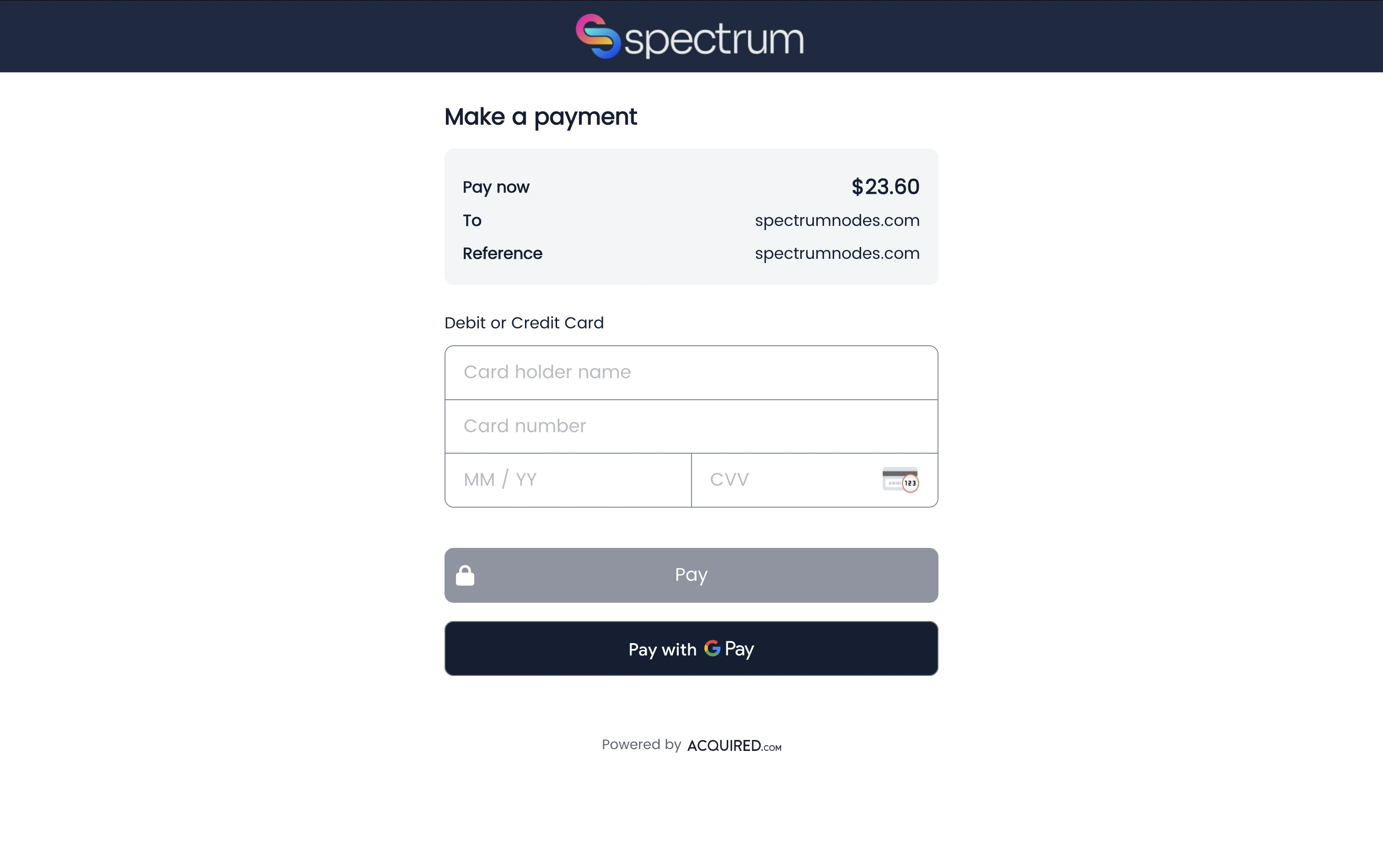
When your transaction confirms, your credit balance will update immediately. You can now continue using your endpoints without interruption.
Need Help?
If you run into issues or have questions, please contact us via spectrumnodes.com/#contact
We’re always happy to help.