Setup CORS For Your Endpoint
Accessing your Spectrum endpoint from a web application running in the browser will likely require CORS configuration to allow your frontend to connect successfully.
What is CORS?
CORS (Cross-Origin Resource Sharing) is a browser security feature that restricts web pages from making requests to a different domain than the one that served the web page.
By setting the correct CORS policy on your endpoint, you can allow trusted domains (like your frontend app) to interact with your Spectrum endpoint securely.
Step 1: Log in to Your Dashboard
- Visit: dashboard.spectrumnodes.com
- Enter your user credentials if logged out.
Step 2: Open Your Project Settings
- Identify which project you want to configure in your Nodes dashboard.
- Select it, then click the gear icon in the top-right of the page to open its Settings.
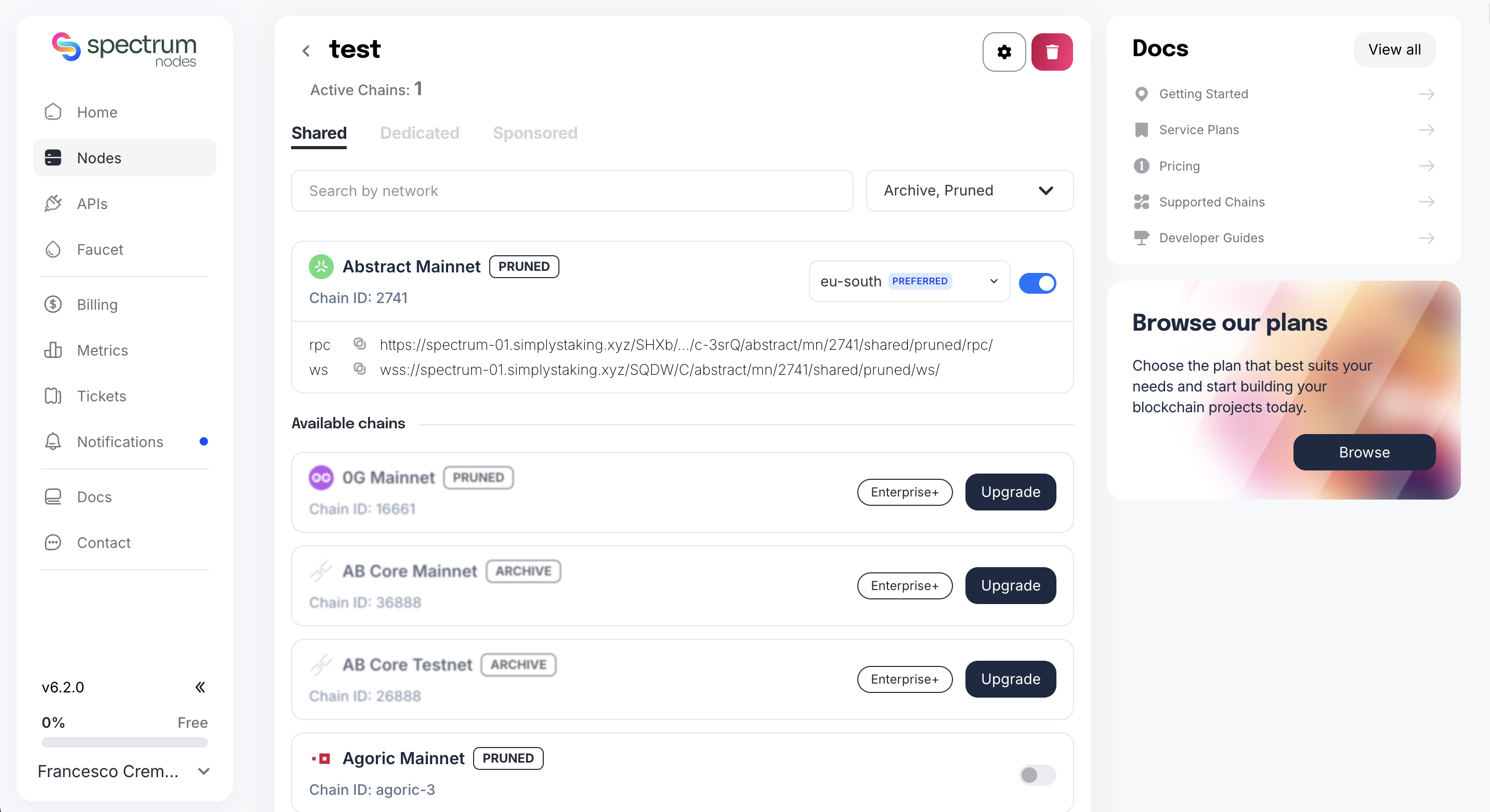
Step 3: Configure CORS
- In the Whitelist configuration, open the Domains (CORS) tab.
- Type each domain and press Enter to add it.
- Click Save whitelist to confirm your new CORS policy.
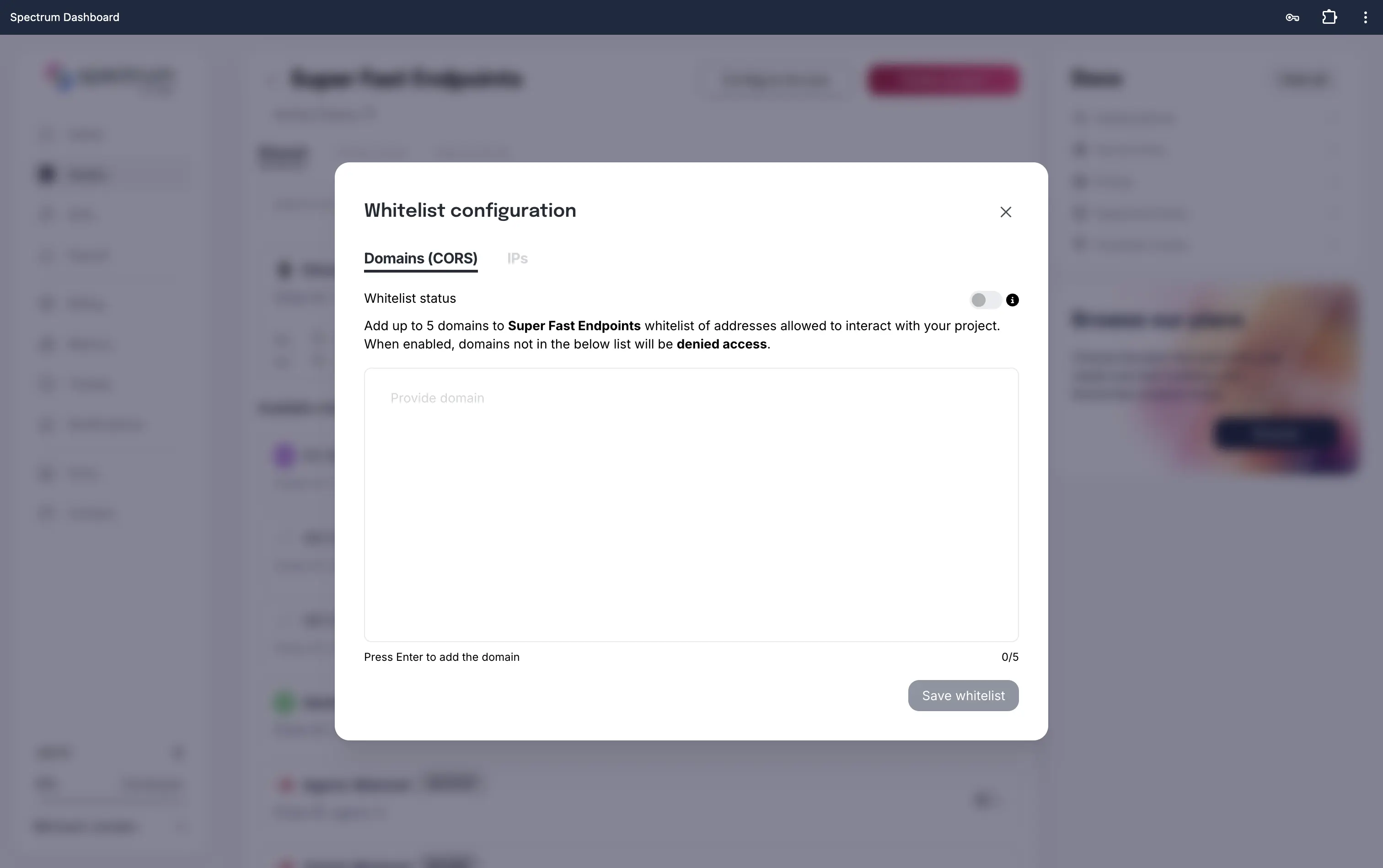
Best Practices
- Only allow trusted domains.
- Avoid wildcards (*) in production environments.
- Update your CORS settings if your frontend URL changes.
- Use CORS alongside other security measures (e.g., IP Whitelisting, rate limits).